
Hardware Compatibility Center
Windows Devices and Platform Requirements for EZ-CAPSS
EZ-CAPSS is designed around Windows-based store workflows. The Windows device matters because barcode scanners, cameras, signature pads, fingerprint scanners, and local device components all depend on the operating system, processor architecture, permissions, and drivers.
For new installations, use Windows 11 Pro whenever possible. Windows 10 remains supported while the required drivers and local components remain available.
Contact EZ-CAPSS Before You Standardize Hardware
Platform status
| Platform / architecture | Recommendation | Status | Notes |
|---|---|---|---|
| Windows 11 Pro | Preferred platform for new installations. | Supported | Best default for new EZ-CAPSS deployments. |
| Windows 11 | Generally usable where required peripherals and permissions are supported. | Supported | Windows 11 Pro is preferred for new purchases. |
| Windows 10 Pro | Supported while required drivers and local components remain available. | Supported | Plan future replacement around driver availability. |
| i386 / 32-bit Windows path | Active path where needed. | Supported | Use only where the overall hardware workflow is confirmed. |
| AMD64 / x64 Windows path | Preferred standard Windows architecture. | Supported | Best fit for most new hardware planning. |
| ARM / Snapdragon Windows devices | Do not standardize on this path for EZ-CAPSS hardware workflows. | Not Recommended | Peripheral drivers and SDK support can be limited, especially for fingerprint capture. |
| Intel/AMD Microsoft Windows compatible tablets | Surface and non-Surface Windows tablets may be appropriate when Windows, camera, and peripheral needs are confirmed. | Expected to Work / Review Before Purchase | Confirm exact manufacturer, model, Windows version, processor architecture, and workflow before buying. |
| Apple iPad / macOS / iOS devices | Do not plan EZ-CAPSS hardware workflows around Apple devices. | Not Supported | EZ-CAPSS hardware workflows should be planned around Microsoft Windows devices at this time. |
Why Windows architecture matters
A Windows computer can look compatible at a glance but still create hardware problems if the processor architecture or drivers do not match the peripheral workflow. Signature pads, fingerprint scanners, and some local device components may depend on Intel/AMD Windows driver support.
That is why ARM/Snapdragon Windows devices are not recommended for EZ-CAPSS hardware workflows at this time.
Windows tablet guidance
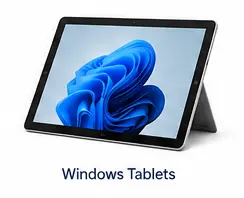
Intel/AMD-based Microsoft Windows compatible tablets can be a good fit when they meet the workflow requirements. Surface Go-style tablets are one possible option, but EZ-CAPSS support is not limited to Microsoft Surface devices. Compatible Windows tablets from other manufacturers may also be appropriate after the full workflow is reviewed.
Before purchasing a Windows tablet device, confirm:
- Windows version;
- processor architecture;
- camera availability and permissions;
- USB availability or docking needs;
- whether signature or fingerprint peripherals are required;
- whether local admin access is available during setup.
Ask EZ-CAPSS to Review Your Hardware
Admin rights and device permissions
EZ-CAPSS hardware workflows may require local Windows configuration, drivers, or permissions. During installation and setup, the business should expect to provide appropriate local administrator access and confirm that Windows allows required USB devices, cameras, and local components.
Customer device security policies can affect camera, USB, and driver behavior.
Related hardware pages
FAQ
Do I need Windows 11 Pro?
Windows 11 Pro is preferred for new installations. If you are buying new computers or tablets for EZ-CAPSS, start there unless EZ-CAPSS reviews and approves another path for your setup.
Can I keep using Windows 10?
Windows 10 remains supported while the required drivers and local components remain available. If you are replacing hardware or planning a new deployment, Windows 11 Pro is the safer long-term choice.
Does EZ-CAPSS support 32-bit and 64-bit Windows?
EZ-CAPSS has active 32-bit and 64-bit Windows paths. For new planning, x64/AMD64 Windows is the preferred standard unless your hardware workflow requires a reviewed exception.
Can I use a non-Surface Windows tablet?
Yes, potentially. EZ-CAPSS support is based on the device running a compatible Intel/AMD Microsoft Windows environment and supporting the required camera, USB/peripheral, driver, and permission needs. Microsoft Surface Go-style devices are one example, but they are not the only Windows tablet option. Confirm the exact manufacturer and model before purchase.
Are Apple devices supported?
No. Apple iPad, macOS, and iOS devices are not supported for EZ-CAPSS hardware workflows at this time.
Why are ARM and Snapdragon devices not recommended?
ARM/Snapdragon Windows devices can have limited peripheral driver and SDK support. That limitation is especially important for fingerprint capture and other local hardware workflows.
Next step
If you are evaluating EZ-CAPSS, review the full Supported Hardware guide and then Request a Demo. If you are choosing a specific Windows device, contact EZ-CAPSS before you buy.