
Hardware Compatibility Center
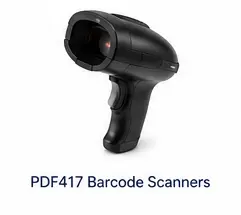
PDF417 Barcode Scanners for EZ-CAPSS Driver-License Capture
EZ-CAPSS can use PDF417 barcode scanning as part of driver-license and customer-intake workflows. The safest scanner path is a USB scanner that behaves like keyboard input and can read PDF417 barcodes from driver licenses.
If you are buying a scanner, do not assume every PDF417 scanner will behave the same way. Exact model behavior matters.
Ask EZ-CAPSS to Review Your Scanner
Recommended scanner behavior
EZ-CAPSS prefers USB HID keyboard-wedge PDF417 scanner behavior.
In practical terms, the scanner should act like a keyboard input device: when it reads the driver-license barcode, the scanned data is entered into the active field or workflow in the expected format.
Scanner compatibility summary
| Scanner path | Recommendation | Status | Notes |
|---|---|---|---|
| USB HID keyboard-wedge PDF417 scanner | Preferred scanner behavior for driver-license scanning. | Expected to Work | Exact model behavior should be reviewed before purchase. |
| Unlisted PDF417 scanner | Send the model/specification to EZ-CAPSS before purchase. | Contact EZ-CAPSS Before Purchase | Not every scanner behaves the same way. |
| Non-PDF417 scanner | Not appropriate for driver-license PDF417 barcode capture. | Not Recommended | Confirm barcode support before buying. |
| Camera-based ID capture | Supported alternative workflow where the device/camera setup is appropriate. | Supported | See the camera capture page. |
What to check before buying a scanner
Before purchasing a barcode scanner for EZ-CAPSS, confirm:
- it supports PDF417 barcodes;
- it connects over USB;
- it can operate as HID keyboard-wedge input;
- it works with your Windows device;
- the vendor provides a clear return policy;
- the exact model number and product URL are available for review.
If any of these items are unclear, contact EZ-CAPSS before you buy.
Scanner or camera?
A dedicated scanner may be a good fit for stores that want a repeatable hardware workflow for driver-license scanning. Camera-based ID capture may be a better fit when a Windows tablet or camera setup is already part of the customer-intake process.
Compare both options:
FAQ
What kind of scanner should I use?
Use a PDF417 scanner that can operate as USB HID keyboard-wedge input. If you have an exact model in mind, ask EZ-CAPSS to review it before purchase.
Does the scanner need special software?
The preferred scanner behavior is keyboard-style input over USB HID. Some scanners include configuration utilities, but the important first question is whether the scanner can output the data in the needed keyboard-wedge behavior.
Can any PDF417 scanner work?
No public draft should assume that every PDF417 scanner will work. Scanner behavior, configuration, and exact model details can vary.
Do I need a dedicated scanner?
Not always. Camera-based ID capture is also supported when the Windows device, camera, permissions, positioning, lighting, and workflow are appropriate.
Next step
If you are evaluating EZ-CAPSS and scanner guidance answers your main question, request a demo. If you are about to buy a scanner or have an unlisted model, ask EZ-CAPSS to review it first.