See EZ-CAPSS in Action

A guided look at how secondhand dealers capture customer data, manage transactions, and submit reporting through CAPSS or LeadsOnline.

From customer intake to compliance reporting — all in one workflow.

EZ-CAPSS / EZ-LEADS helps dealers capture customer information, signatures, fingerprints, and transaction details once, then submit required reporting through CAPSS or LeadsOnline without duplicate entry.

EZ-Capss Demo

Short video showing the creation of a customer from a license swipe, then building and submitting a property transaction to CAPSS.

Product Demo

Watch a Full Transaction Workflow

See how EZ-CAPSS creates a customer from a license swipe, builds a transaction, and prepares reporting for CAPSS or LeadsOnline — all in one seamless workflow.

Explore the Workflow

Key Screens in EZ-CAPSS

Click any screen to view a larger image and see how the workflow comes together.

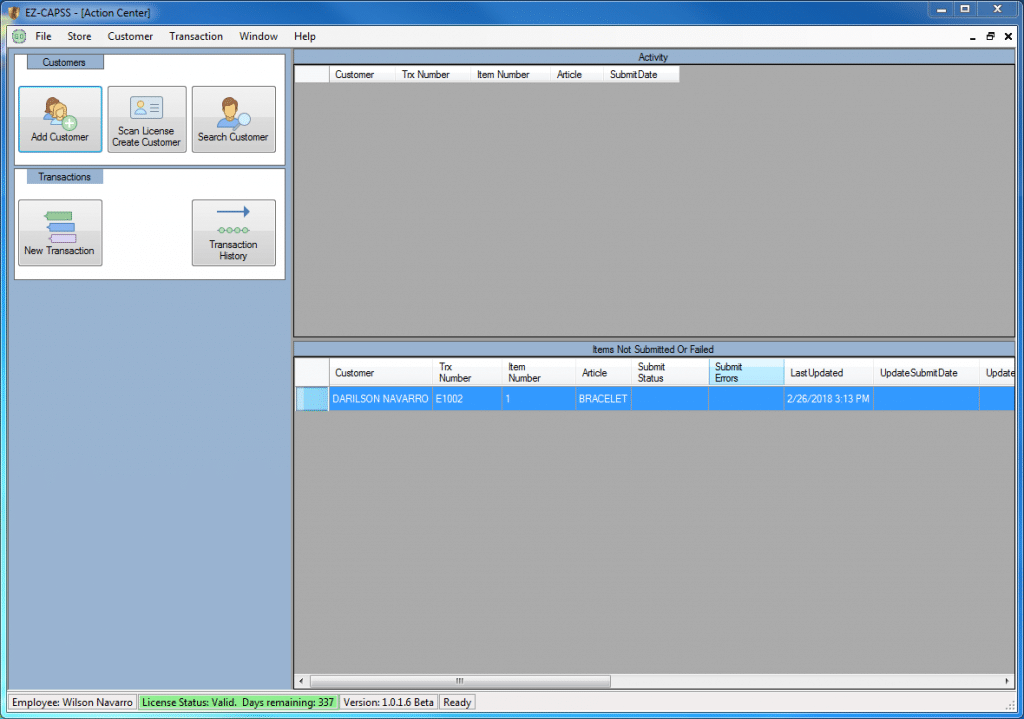
Action Center

EZ-CAPSS uses a easy to use visual screen layout. This is the main screen of the application which we call the [Action Center]. Customer Lookup, New Transactions, Report Generation, etc. are all performed from this screen.

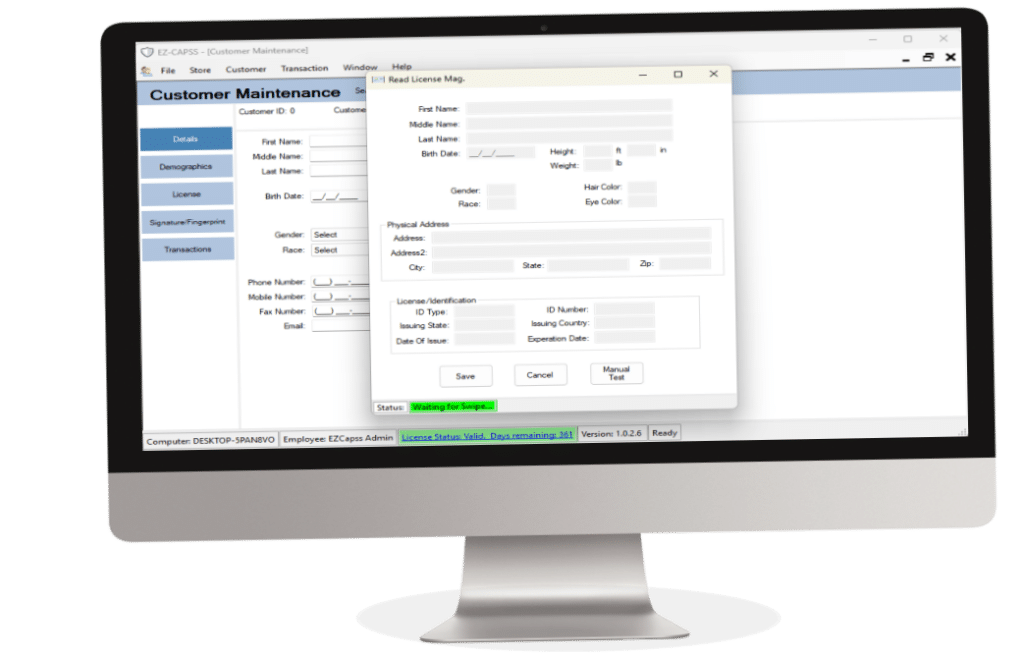
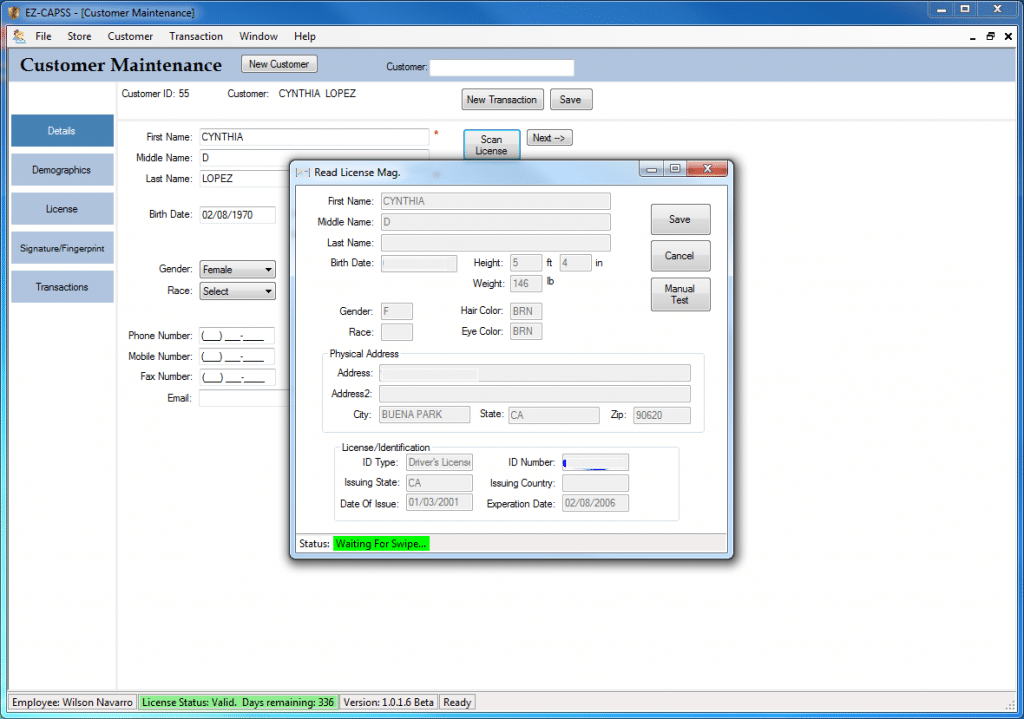
Automatic Customer Profile Creation

Scan a driver’s license or enter customer details manually to quickly create or retrieve customer records.

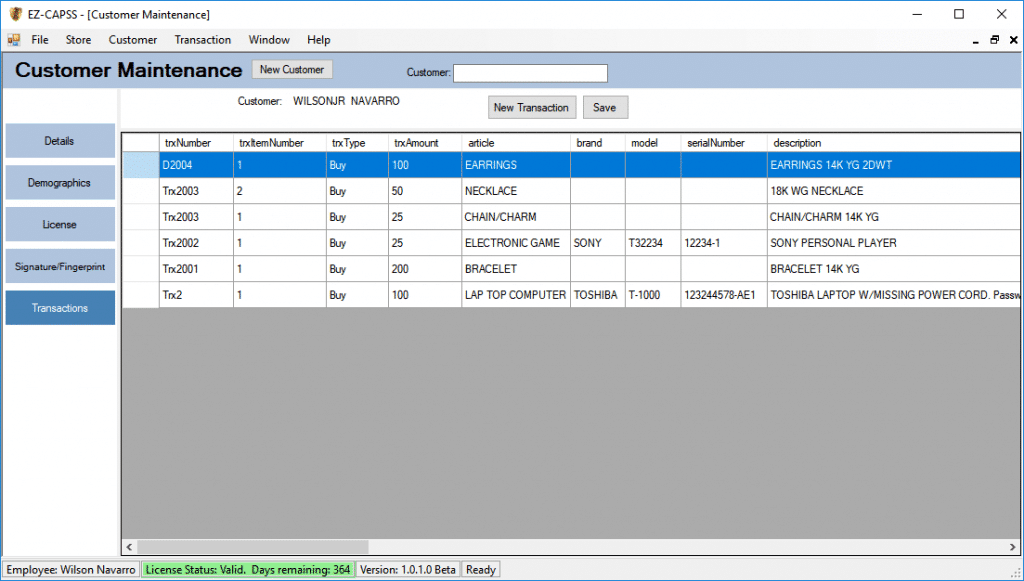
Customer Transaction History

Have access to all the available customer information at your finger tips. The transaction tab contains all previous transaction records submitted to CAPSS for a customer.

Signature & Fingerprint

Gather the customer signature and fingerprint in one screen. No need to chase files, keep multiple records distributed in files through out your system. EZ-CAPSS manages it all. Once it is associated with a customer,  no need to request them again and again.

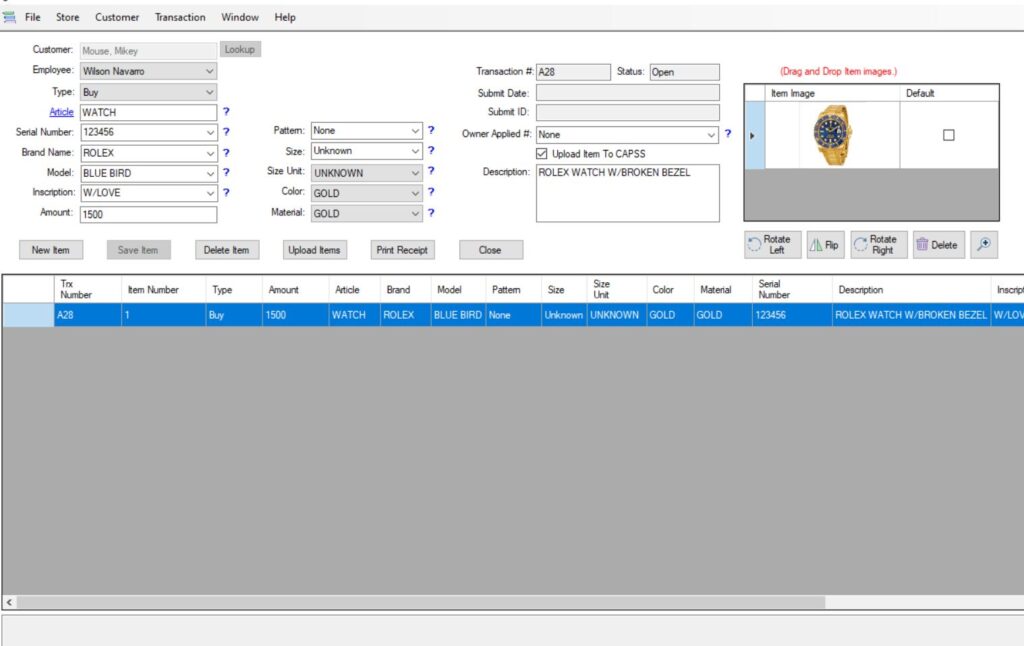
Item Transactions

Item transactions can be submitted to CAPSS or Leads On Line in real time. You never have to leave our application to send the information to the interfaced system.

Ready to Simplify Secondhand Dealer Reporting?

Capture customer data, signatures, fingerprints, and transaction details once — then submit through CAPSS or LeadsOnline with less manual work.

CAPSS & LeadsOnline Integration

Submit to the systems you need from one platform.

Save Time

Capture once and reuse data across all transactions.

Reduce Errors

Structured workflows and validation help keep data accurate.

Stay Compliant

Maintain audit-ready records and meet reporting requirements with confidence.