
Hardware Compatibility Center
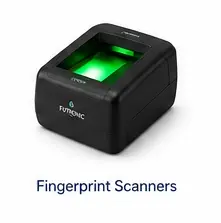
Futronic Fingerprint Scanners for EZ-CAPSS
EZ-CAPSS supports Futronic fingerprint scanner workflows for fingerprint capture where required by the customer’s process. The recommended path is model-specific and depends on Windows driver support.
For new hardware planning, Futronic FS88 is the standard supported scanner. FS88H is supported, and FS10 has been tested. Other Futronic models should be reviewed before purchase.
Ask EZ-CAPSS to Review Your Fingerprint Scanner
Fingerprint scanner compatibility summary
| Scanner model/path | Recommendation | Status | Windows/platform notes |
|---|---|---|---|
| Futronic FS88 | Standard supported scanner path. | Supported | Use with supported Windows device/driver setup. |
| Futronic FS88H | Supported scanner path. | Supported | Use with supported Windows device/driver setup. |
| Futronic FS10 | Tested scanner path. | Needs Validation | Confirm fit before purchase if standardizing. |
| Other Futronic models | Do not assume support. | Contact EZ-CAPSS Before Purchase | Exact model review required. |
| ARM/Snapdragon Windows devices | Not recommended for fingerprint workflow. | Not Recommended | Driver/SDK support can be limited or unavailable. |
Driver and platform guidance
Fingerprint scanning depends on the Windows device, processor architecture, and Futronic driver/SDK support. Intel/AMD Windows devices are the supported planning path. ARM/Snapdragon Windows devices are not recommended at this time for fingerprint workflows.
For platform context, see Windows Devices and Platform Requirements.
Setup note
Once the appropriate driver and local setup are in place, EZ-CAPSS can recognize and use the supported Futronic device. Exact setup instructions should be handled in a later setup-guide or support stage, not expanded here.
FAQ
Which Futronic scanner should I use?
Futronic FS88 is the standard supported scanner path. FS88H is supported, and FS10 has been tested.
Can I use another Futronic model?
Do not assume support for another Futronic model. Contact EZ-CAPSS before purchasing or replacing hardware.
Why are ARM/Snapdragon Windows devices not recommended?
Fingerprint capture can depend on driver and SDK support. ARM/Snapdragon Windows devices may not have the required support for the full fingerprint workflow.
Do I need to install a driver?
Fingerprint scanner workflows depend on the appropriate Futronic driver/local setup for the supported Windows environment. Exact setup instructions should be confirmed during implementation or support.
Next step
If fingerprint scanner guidance answers your product question, request a demo. If you are choosing a scanner or replacing hardware, contact EZ-CAPSS before you buy.